Every digital design begins with color. Whether you’re creating a website, refining a mobile app, designing social media graphics, or maintaining a brand identity, color accuracy can significantly influence the final result. Yet one of the most common challenges faced by designers, developers, and marketers is identifying the exact color used in a visual element.
A shade that looks perfect on a website or application can be difficult to recreate without precise color values. Guessing rarely works, and manually adjusting colors often wastes valuable time. This is why an RGB Color Code Picker has become an essential tool in modern digital workflows.
At GoPick Colors, we believe color selection should be fast, accurate, and effortless. Instead of spending time trying to replicate colors by eye, professionals can instantly capture exact RGB values and use them across projects with confidence.
Why RGB Codes Matter More Than Color Names Today
Color names are useful for basic communication, but they are far from precise. Terms like “light blue,” “forest green,” or “soft gray” can mean different things to different people. In professional environments, such ambiguity creates inconsistencies.
RGB codes solve this problem by providing exact numerical values for every color displayed on a screen. Rather than describing a color, you can define it precisely using Red, Green, and Blue values. This ensures that everyone involved in a project sees and uses the same shade.
For example, a marketing team, a web designer, and a developer may all be working on the same campaign. If they rely on color descriptions, inconsistencies can easily occur. When they use exact RGB values, visual consistency remains intact across every digital asset.
This level of precision is one reason why the RGB Color Code Picker has become a standard tool for professionals who value accuracy and efficiency.
The Fastest Way to Capture RGB Values From Any Screen
Imagine browsing a website and discovering a color that perfectly fits your project. Traditionally, you might take a screenshot, import it into editing software, and sample the color manually. While effective, this process is slow and disruptive.
Modern color-picking tools simplify the workflow dramatically. Instead of moving between applications, users can capture RGB values directly from their screen in seconds.
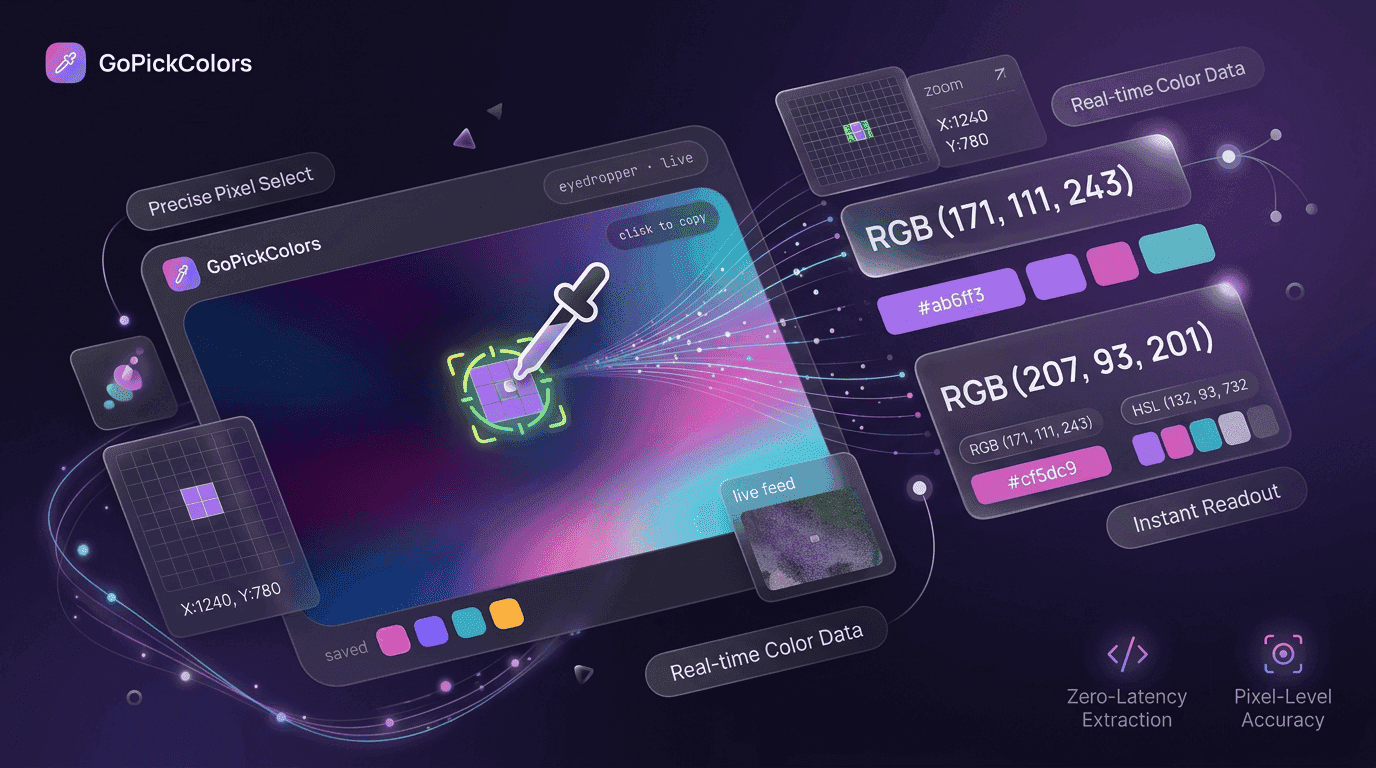
With GoPick Colors, the process becomes seamless. You simply hover over the desired element, capture the color, and instantly receive the RGB values. There is no need for complicated software or technical expertise.
How Designers Match Colors Without Endless Trial and Error
Designers often face situations where they need to recreate a specific color found on a website, application, advertisement, or product image. Without accurate values, matching colors becomes a frustrating process filled with adjustments and comparisons.
Professional designers rarely rely on visual estimation alone. Instead, they use tools that provide exact color data. This eliminates uncertainty and allows them to focus on creativity rather than correction.
An RGB Color Code Picker makes this process straightforward. Rather than spending time adjusting sliders and comparing shades, designers can instantly obtain the correct values and apply them directly to their work.
Why Instant Color Capture Beats Manual Color Matching
| Traditional Approach | Using GoPick Colors |
|---|---|
| See a color you like and try to recreate it manually | Capture the exact RGB value instantly |
| Spend time adjusting shades through trial and error | Get precise color values in a single click |
| Use multiple tools to identify and copy colors | Access everything from one convenient tool |
| Risk inconsistent color matching across projects | Maintain accuracy and consistency every time |
| Turn inspiration into designs slowly | Convert inspiration into action immediately |
Whether the inspiration comes from a landing page, product package, social media graphic, or mobile application, GoPick Colors helps professionals transform attractive colors into usable RGB values. This faster and more accurate workflow bridges the gap between discovering great design ideas and applying them effectively in real projects.
RGB Codes Power Websites, Apps and Digital Experiences
Every digital screen relies on RGB color values. Websites, mobile applications, dashboards, software interfaces, and online advertisements all use RGB as a foundation for displaying color.
Because RGB is central to digital experiences, accurate color information becomes increasingly important. A slight variation in a call-to-action button or navigation element can influence how users interact with a product.
Developers frequently depend on precise RGB values when implementing designs into code. Designers rely on the same values when creating visual assets. Marketers use them to maintain consistency across campaigns.
Professionals who understand and manage RGB values effectively often produce more polished and cohesive digital experiences.
Save Frequently Used RGB Values for Future Creative Projects
Many professionals repeatedly use the same colors across multiple projects. Recreating those colors each time is inefficient and increases the risk of inconsistency.
Saving RGB values creates a reliable reference system that speeds up future work. Instead of searching for colors repeatedly, users can build their own library of approved shades.
An RGB values finder can help identify exact color values that can later be stored and organized for future use.
This approach offers several advantages. It reduces repetitive tasks, improves consistency, and helps teams maintain visual standards across multiple projects.
When Manual Color Matching Creates Costly Design Errors
Manual color matching may seem harmless, but it often introduces subtle errors that become noticeable when projects scale.
A designer might choose a color that appears similar to the original. A developer might recreate it using estimation. A marketer may use yet another variation in promotional materials. Individually, these differences seem minor. Collectively, they create visual inconsistency.
An RGB code generator can provide exact color values that remove guesswork from the process. When teams rely on precise color information instead of approximations, they reduce the likelihood of branding inconsistencies, design revisions, and implementation errors.
What to Look for in an RGB Color Code Picker
Before choosing a tool, make sure it offers:
✔ Instant color capture ✔ Accurate RGB values ✔ One-click copying ✔ Browser integration ✔ Color history tracking ✔ Multiple format support ✔ Easy palette management
With GoPick Colors, these features help streamline color selection while improving accuracy and consistency across projects.
Conclusion
Color accuracy plays a vital role in modern digital design, development, and branding. Whether you’re recreating a brand color, analyzing a competitor’s website, or building a new visual identity, precise RGB values help ensure consistency and professionalism.
An RGB Color Code Picker removes the uncertainty from color selection by allowing users to instantly capture exact RGB values from any screen. Instead of relying on estimates or time-consuming manual workflows, professionals can work faster and with greater confidence.
GoPick Colors makes color discovery simple, helping designers, developers, marketers, and creators transform inspiration into accurate color data within seconds. In a digital landscape where details matter, the ability to capture and reuse exact colors can make a meaningful difference in both productivity and quality.