Every great design begins with inspiration. Sometimes that inspiration comes from a website, a photograph, a digital illustration, a product package, or even a social media post. The challenge starts when you discover a color you love but have no practical way to identify it accurately.
Many designers have experienced the frustration of trying to recreate a color manually. A shade that looks perfect on screen can become completely different when guessed by eye. This is where a reliable Color Picker From Image solution becomes essential.
GoPick Colors was created to solve this problem with speed and precision. Instead of estimating colors, users can instantly identify exact color values directly from any image inside Chrome. Whether you’re a designer creating brand assets, a developer matching UI components, a marketer preparing campaign visuals, or a content creator building consistent graphics, accurate color extraction saves time and improves results.
Extract Exact Colors From Any Image in Seconds
Imagine finding the perfect color combination in an online advertisement, a portfolio website, or a product image. Traditionally, capturing that color required screenshots, external software, and multiple editing tools.
The extension allows users to select any image and instantly identify exact color values. Instead of switching between applications, the entire workflow happens directly inside Chrome.
Accurate color extraction is valuable because:
- It eliminates visual guessing.
- It reduces design inconsistencies.
- It saves hours of manual color matching.
- It improves collaboration between teams.
- It creates more reliable design systems.
The ability to use a dependable Color Picker From Image tool directly within the browser streamlines creative workflows significantly.
Turn Visual Inspiration Into Usable Color Codes
A travel photograph may contain a beautiful sunset palette. A fashion campaign might showcase sophisticated neutral tones. A modern SaaS website may feature a vibrant color combination that captures attention instantly.
Designers need actual color values they can use inside design software, websites, presentations, and branding materials.
GoPick Colors bridges the gap between inspiration and execution by converting visual elements into usable color codes.
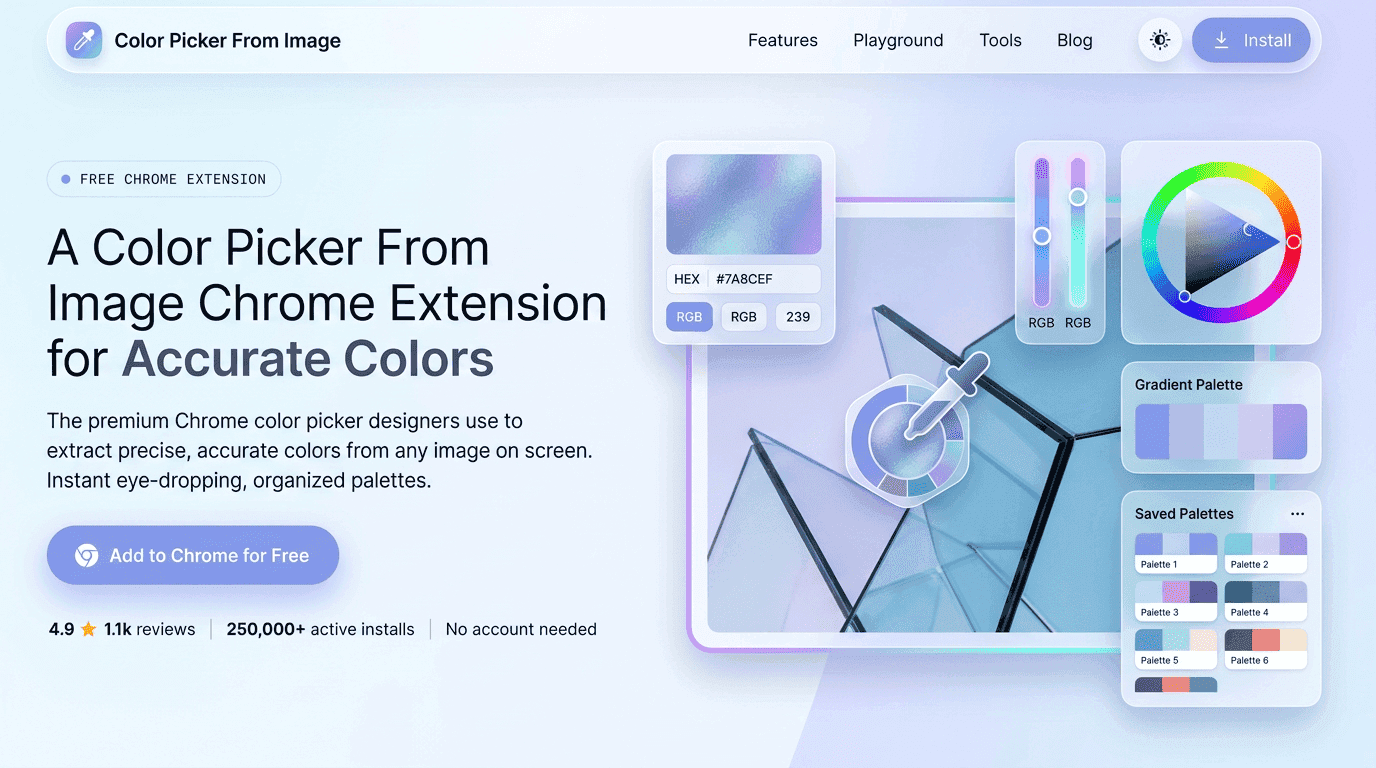
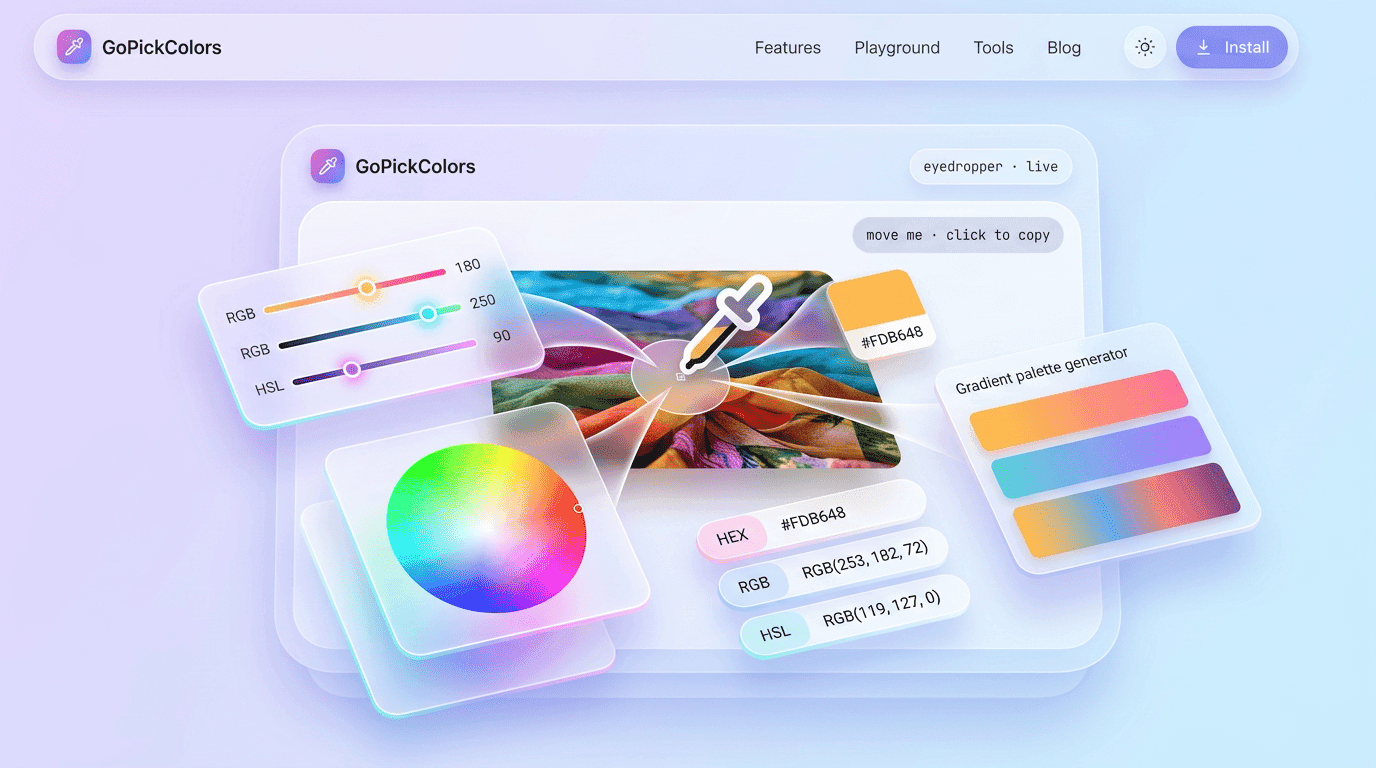
When a color is identified from an image, users can immediately access:
- HEX values for web design.
- RGB values for digital applications.
- HSL values for flexible color adjustments.
This transforms a simple image into actionable design data.Instead of asking, “What color is this?” users can immediately know the exact answer and apply it across projects.
Why Designers Choose Image-Based Color Selection
Professional designers rarely rely on visual approximation.
As digital experiences become more sophisticated, precision becomes increasingly important. Brand guidelines, design systems, UI libraries, and marketing materials all require exact color consistency.
Image-based color extraction offers several advantages over manual methods.
Greater Accuracy
Human perception varies based on screen brightness, ambient lighting, and monitor calibration. Numerical color values remove subjectivity.
Faster Workflows
Designers can instantly identify colors without opening additional software.
Better Brand Consistency
Teams can reuse exact brand colors across every asset.
Easier Collaboration
Developers, designers, and marketers can work from the same color references.
Reduced Rework
Projects require fewer revisions when colors remain consistent from the beginning.
This is why image-based color detection has become a standard workflow for modern digital professionals.
Capture HEX, RGB, and HSL Without Manual Guesswork
Different projects require different color formats.
GoPick Colors delivers all of these instantly through its Color Picker From Image functionality.
| Color Format | Primary Use Case | Why It Matters |
|---|---|---|
| HEX | Web Design | Standard format used in websites |
| RGB | Digital Graphics | Controls red, green, and blue channels |
| HSL | Design Adjustments | Simplifies brightness and saturation edits |
Having immediate access to multiple formats eliminates conversion steps and reduces workflow friction.
Instead of searching for separate conversion tools, users can focus on designing.
Simplify Brand Color Matching Across Projects
Brand consistency is one of the most valuable assets a business can maintain.Customers often recognize brands through color before reading text or seeing logos.
Think about major technology companies, social platforms, and global retailers. Their colors create immediate recognition.
GoPick Colors helps organizations maintain consistent color standards by enabling precise extraction from existing brand materials.
Whether users are referencing:
- Brand guidelines
- Marketing banners
- Product images
- Social media creatives
- Website assets
This makes Color Picker From Image functionality especially valuable for marketing teams and branding professionals.
Improve Design Accuracy With One-Click Color Detection
A mismatched color can create confusion, reduce trust, and impact overall visual quality.
A designer references existing brand assets, a developer implements interface colors, and a marketing team creates promotional graphics.
If each department interprets colors differently, inconsistencies quickly appear.One-click color detection eliminates this risk.
Instead of relying on assumptions, users can retrieve exact values from the original source.
This creates a reliable foundation for:
- UI design
- UX design
- Branding
- Content marketing
- Presentation design
- Product visualization
The result is a more professional and cohesive final product.
Use Image Colors Directly Inside Chrome
One of the biggest productivity challenges in design workflows is tool switching.Opening screenshots, launching design software, exporting files, and copying values all consume valuable time.
GoPick Colors was designed specifically to reduce these interruptions.
Because the extension works directly within Chrome, users can identify colors where they naturally discover them.
For example:
- A designer browsing portfolio websites can instantly collect color inspiration.
- A developer reviewing competitors can capture interface colors for analysis.
- A marketer exploring campaign examples can identify successful color combinations.
- Everything happens within a familiar browser environment.
This convenience transforms color extraction from a multi-step process into a simple action.
For users seeking a fast and reliable Color Picker From Image, browser-based functionality delivers a significant productivity advantage.
Compare Shades and Build Consistent Color Palettes
Color selection is rarely about choosing a single shade.
Successful designs rely on relationships between colors.
Primary colors, secondary colors, accents, backgrounds, and text colors must work together harmoniously.
GoPick Colors helps users identify multiple shades from a single image, making palette creation easier.
A photograph may contain:
- A dominant primary color.
- A supporting secondary color.
- Neutral background tones.
- Accent highlights.
- Contrast elements.
By extracting each color individually, users can recreate complete visual systems rather than isolated colors.
This capability turns inspiration into structured design decisions.
How the Extension Delivers Reliable Color Results
Color extraction may sound simple, but obtaining accurate values requires more than clicking on a pixel. Every image contains thousands or even millions of color variations. Compression, display settings, image quality, and scaling can all influence how colors appear to the human eye.
GoPick Colors is designed to reduce these challenges by focusing on precision and usability. The extension helps users capture color information directly from images without relying on visual estimation. This creates a dependable workflow for professionals who need consistent results across projects.
A typical color extraction process follows a straightforward path:
| Step | Action | Outcome |
|---|---|---|
| 1 | Open an image in Chrome | Visual reference is available |
| 2 | Activate GoPick Colors | Color detection begins |
| 3 | Select a target area | Specific color is identified |
| 4 | Copy HEX, RGB, or HSL values | Exact color data becomes available |
| 5 | Apply colors to projects | Consistent design execution |
The reliability of a Color Picker From Image tool becomes especially important when working on branding projects, web applications, digital products, or marketing campaigns where color consistency directly impacts user perception.
Trusted Workflow for Designers, Developers, and Creators
Content creators look for visually appealing palettes that attract attention and improve engagement.
Despite these different objectives, they all share one common requirement: accurate color information.GoPick Colors supports a workflow that aligns with the needs of multiple creative disciplines.
For Designers
⬇
Designers can extract colors from reference images, competitor research, mood boards, and visual inspiration sources. This helps create cohesive interfaces, presentations, advertisements, and brand assets.
For Developers
⬇
Developers benefit from precise HEX and RGB values that can be directly implemented into CSS, design systems, and user interfaces without manual conversions.For Marketing Teams
⬇
Marketing professionals often work across websites, landing pages, advertisements, social media graphics, and email campaigns. Consistent color usage strengthens brand recognition and improves visual trust.For Content Creators
⬇
Creators frequently gather inspiration from online content. The ability to identify and reuse appealing colors helps maintain visual consistency across videos, thumbnails, graphics, and promotional assets.This broad usability is one reason image-based color extraction continues to gain popularity among digital professionals.
From Inspiration to Implementation Without Delays
Creative momentum is valuable.
When inspiration strikes, every unnecessary step can interrupt the creative process. Searching for external software, exporting screenshots, and manually approximating colors often slows productivity.
GoPick Colors removes these barriers.
Instead of collecting inspiration and returning later to identify colors, users can extract values immediately while browsing.
Consider a common scenario.
A designer discovers a beautifully balanced color palette on a product landing page. Without a dedicated solution, the designer might:
- Take a screenshot.
- Open editing software.
- Import the image.
- Use a separate picker tool.
- Copy values manually.
With GoPick Colors, the same task can be completed in seconds directly inside Chrome.
Why Precision Matters More Than Ever
Digital experiences are becoming increasingly sophisticated.Users interact with websites, applications, advertisements, and digital products across multiple devices every day. Small inconsistencies can impact professionalism and trust.
Color plays a significant role in:
- Brand recognition
- User engagement
- Visual hierarchy
- Accessibility
- Conversion optimization
- Product perception
A dependable Color Picker From Image solution helps ensure those colors remain accurate wherever they are used.
Discover Hidden Design Opportunities in Images
Images often contain more useful design information than people realize.
A single photograph may reveal:
- Complementary color combinations
- High-contrast accent colors
- Effective background shades
- Neutral balancing tones
- Emotional color themes
Many professionals focus only on the dominant color within an image. However, the supporting colors often contribute equally to the overall visual impact.
GoPick Colors allows users to explore multiple shades within a single image and identify relationships between colors.
Color image picker for Modern Creative Workflows
A modern Color image picker should do more than simply identify colors. It should support efficiency, consistency, and creativity.
As remote collaboration becomes more common, teams frequently share design assets across departments and locations. Color accuracy becomes increasingly important when multiple contributors work on the same project.
GoPick Colors supports this environment by providing a simple method for collecting exact color values from images and sharing them across workflows.
Real-World Applications Across Industries
The value of image-based color extraction extends beyond traditional design roles.
E-Commerce→ Online stores often require consistent product presentation. Colors extracted from product photography can be reused across promotional materials and advertisements.
SaaS Companies→ Software businesses frequently maintain design systems that depend on consistent color standards across interfaces and marketing assets.
Agencies→ Creative agencies manage multiple brands simultaneously. Accurate color extraction helps maintain consistency across client projects.
Education→ Students learning design principles can analyze successful visual examples and understand how color contributes to effective communication.
Content Marketing→ Marketers can identify high-performing visual trends and apply similar color strategies to future campaigns.
These examples demonstrate how a dependable Color Picker From Image solution serves a wide range of professional needs.
Conclusion
Color influences every visual experience. It shapes perception, communicates emotion, strengthens branding, and guides user attention. Yet discovering and recreating the right colors has traditionally required multiple tools and unnecessary manual effort.
GoPick Colors simplifies this process by providing a fast, accurate, and browser-based solution for identifying colors directly from images. Whether you’re extracting inspiration from photography, matching brand assets, analyzing design trends, or building professional color palettes, the extension helps transform visual ideas into actionable color data.
When visual accuracy matters, a trusted Color Picker From Image workflow can make the difference between approximate results and professional-quality execution. GoPick Colors helps ensure every color decision starts with reliable data and ends with consistent design success.
Frequently Asked Questions About Color Picking
What is a Color Picker From Image?
A Color Picker From Image is a tool that identifies exact color values from an image and converts them into usable formats such as HEX, RGB, and HSL.
Why is image-based color extraction important?
It eliminates guesswork and provides precise color information that can be reused across design, development, branding, and marketing projects.
Can GoPick Colors work directly inside Chrome?
Yes. GoPick Colors is designed to operate within Chrome, allowing users to extract colors without switching between multiple applications.