In modern digital design, speed and precision decide the quality of output. Whether building a website, refining a mobile UI, or creating marketing visuals, designers constantly rely on color decisions that shape the entire user experience. A small delay in identifying the right shade can slow down an entire workflow.
This is where a Color Image Picker becomes a practical necessity rather than a convenience. Instead of manually guessing or recreating colors from memory, designers can directly extract accurate values from any image inside the browser.
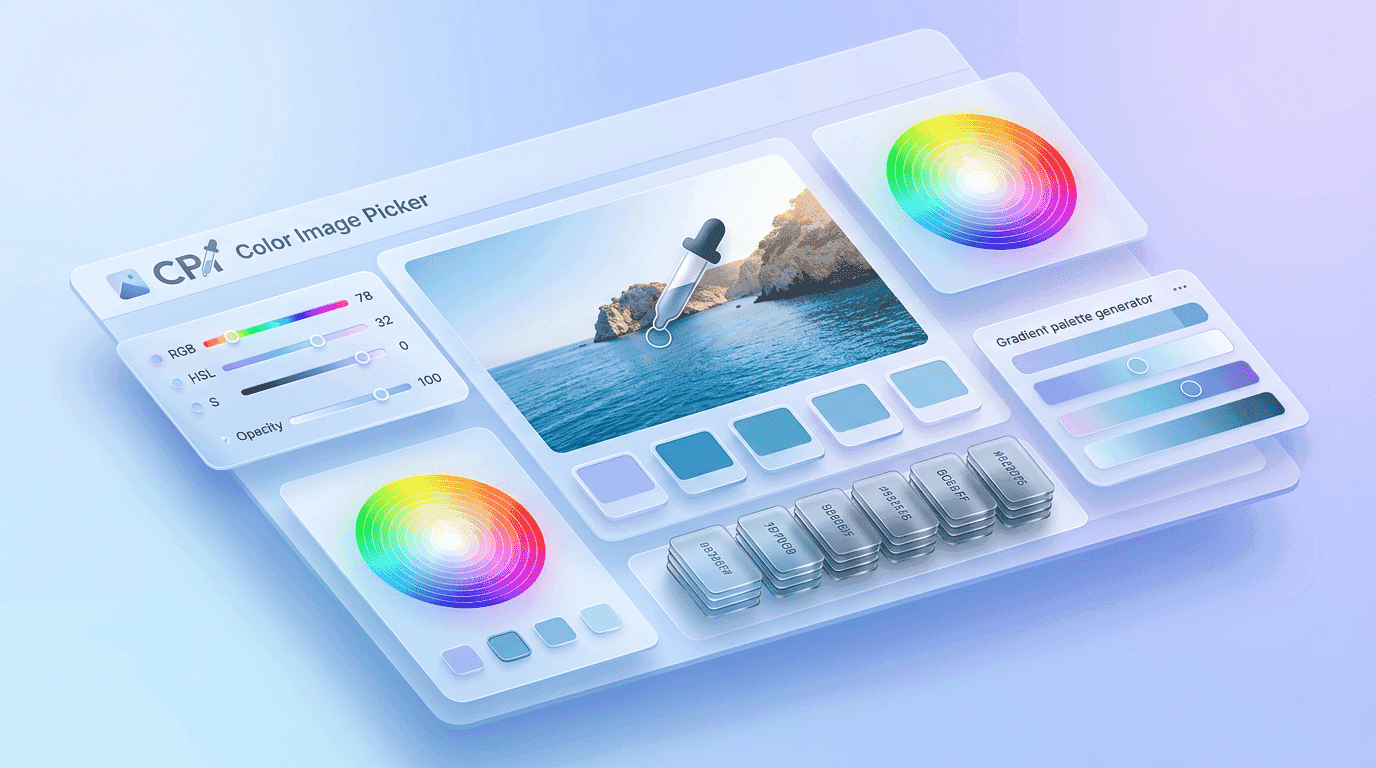
GoPick Colors introduces a streamlined approach where inspiration turns instantly into usable design data. The extension helps users identify exact HEX, RGB, and HSL values from any visual content, reducing friction in the creative process and ensuring consistency across projects.
A modern Color Image Picker is not just about sampling pixels—it is about improving how designers think, build, and collaborate.
Speed Up Color Selection Without Manual Sampling
Traditional color selection methods require multiple steps: taking screenshots, opening design software, importing images, and using built-in tools to extract values. While effective, this process is slow and interrupts creative flow.
A Color Image Picker eliminates this delay by allowing users to select colors instantly while browsing.
The biggest advantage is uninterrupted workflow continuity. Designers no longer need to switch between tools or break their focus. Everything happens directly inside Chrome.
Key benefits of faster color selection:
- Eliminates repetitive manual sampling steps
- Reduces dependency on external software
- Improves design iteration speed
- Helps maintain creative momentum
- Supports real-time inspiration capture
Speed is not just a productivity factor—it directly impacts creativity. When designers work faster, they experiment more freely and explore better visual combinations.
With GoPick Colors, the Color Image Picker becomes a real-time creative assistant rather than a secondary utility.
Extract Color Data From Any Online Image
Every online image contains a rich combination of colors. Websites, advertisements, illustrations, and product photos all carry carefully designed palettes that influence perception and engagement.
A Color Image Picker allows users to extract this hidden data effortlessly.
Instead of relying on visual estimation, designers can click on any image element and retrieve precise color values. This ensures that every extracted shade is mathematically accurate and ready for production use.
What users can extract:
- Primary brand colors
- Background tones
- Accent highlights
- Gradient endpoints
- Neutral UI shades
This capability is especially valuable for UI/UX designers who need exact replication of visual styles across interfaces.
Save Time During Website and UI Design Projects
Website and UI design projects involve hundreds of micro-decisions. Among them, color selection is one of the most frequent tasks.
Without a proper tool, designers often spend unnecessary time trying to match colors visually.
A Color Image Picker removes this inefficiency by offering instant access to exact values directly from reference images.
In a real-world scenario:
A designer working on a SaaS dashboard may find inspiration from a competitor’s interface. Instead of manually recreating each shade, they can directly extract colors and apply them to their design system.
Build Consistent Color Systems Across Teams
Consistency is one of the most important principles in modern design systems. Teams working across multiple platforms often face challenges in maintaining uniform color standards.
A Color Image Picker solves this problem by ensuring everyone works with the same extracted values.
When teams use a shared color reference system:
- Designers maintain visual harmony
- Developers implement consistent UI elements
- Marketers align branding across campaigns
- Product teams reduce design discrepancies
This creates a unified visual language across all digital touchpoints.
Simple workflow for team consistency:
- Extract color using GoPick Colors
- Share HEX/RGB values with team members
- Apply standardized colors across all assets
- Validate consistency across platforms
This structured approach ensures brand identity remains intact regardless of who is working on the project.
Avoid Color Matching Errors During Creative Work
Color mismatches are one of the most common issues in digital design. Even small variations can affect brand perception and user experience.
A Color Image Picker minimizes these errors by eliminating guesswork completely.
Instead of relying on perception, designers use numerical values that remain consistent across devices and screens.
Common problems solved:
- Inconsistent brand shades
- Wrong color reproduction in UI components
- Misaligned marketing visuals
- Variation across devices and monitors
By relying on precise color data, designers can ensure accuracy at every stage of production.
Generate Accurate HEX Values From Visual Content
HEX values are the foundation of web design. They define how colors appear in digital environments and are widely used across CSS, UI frameworks, and branding systems.
A Color Image Picker like GoPick Colors allows users to generate HEX values instantly from any image.
| Color Format | Usage Area | Advantage |
|---|---|---|
| HEX | Web design & CSS | Standardized and widely supported |
| RGB | Digital graphics | Ideal for screen-based rendering |
| HSL | Design adjustments | Easier tone and saturation control |
Use Color References Directly From Browser Tabs
One of the most powerful features of a browser-based tool is accessibility. Designers often browse inspiration directly from websites, portfolios, and digital galleries.
A Color Image Picker integrated into Chrome allows users to extract colors without leaving the browser.
This creates a seamless workflow:
- Browse inspiration
- Identify color instantly
- Copy value
- Apply directly in design tools
- No downloads. No switching applications. No interruptions.
This simplicity is what makes browser-based tools increasingly popular in modern design environments.
Why Modern Designers Prefer Color Image Tools
Design has evolved from static visuals to dynamic digital experiences. As a result, designers require faster and more reliable tools.
A Color Image Picker fits perfectly into this new workflow because it supports speed, accuracy, and flexibility.
Modern designers prefer these tools because:
- They reduce manual effort
- They support real-time decision making
- They improve collaboration efficiency
- They ensure design consistency
- They integrate seamlessly into browser workflows
Design is no longer just about creativity—it is also about efficiency. Tools that support both are becoming essential.
Best Use Cases for a Color Image Picker Extension
A Color Image Picker is useful across multiple industries and creative workflows.
| Use Case | Description | Benefit |
|---|---|---|
| UI/UX Design | Extract interface colors | Faster prototyping |
| Web Development | Apply exact HEX codes | Accurate implementation |
| Branding | Maintain consistent palettes | Strong identity |
| Marketing | Align campaign visuals | Better recognition |
| Content Creation | Build cohesive visuals | Improved engagement |
These use cases show that color extraction is not limited to designers alone—it supports any profession that relies on visual communication.
Advanced Creative Applications
Beyond basic design tasks, a Color Image Picker can also support advanced creative workflows.
Designers often use extracted colors to:
- Build mood boards for client presentations
- Analyze competitor design strategies
- Create seasonal branding palettes
- Develop UI theme variations
- Design gradient systems for modern interfaces
These applications turn simple color extraction into a strategic design advantage.
Instead of copying colors blindly, users begin to understand how color combinations influence emotion, usability, and engagement.
Final Thought
A modern design workflow demands tools that are fast, accurate, and reliable. A Color Image Picker is not just a utility it is a foundational part of efficient creative production.
By allowing designers, developers, and marketers to extract exact colors directly from images, GoPick Colors simplifies one of the most repetitive tasks in digital creation.
In a world where visual identity defines digital success, having precise control over color is no longer optional. It is essential.
A Color Image Picker empowers professionals to move from inspiration to execution without friction, making every design decision faster, smarter, and more consistent.